

December 29, 2025 | By Kåre Kaasamoen | 10 min read
Be Confident in ERP Data Migration During Your NetSuite Implementation Project
During an implementation project, ERP data migration should be seen as a sub-project rather than just a task.
By Kåre Kaasamoen, Solution Architect at Staria
In ERP implementations, some areas are more challenging than others. Data migration is one of them. However, it’s not impossible to have full control of this part as well and in this article you'll find how to be confident in your ERP data migration.
Let’s start with the high level basics. Make sure you follow these rules of thumb on ERP data migration:
Data migration takes time; start early
If you are planning to use Excel as your only tool for data migration, you will fail
There will be changes on the way; automate the process
Data migration is a quite technical; if you don’t know the concept of a datatype, leave it to someone else
Regardless of contract and budget; collaborate with an implementation partner
Start ERP data migration early
In many ERP projects, data migration is treated as just another task—sometimes even left until right before go-live. This approach almost always leads to time pressure and last-minute issues. Instead, treat data migration as its own sub-project, with a dedicated team and clear focus, starting from day one alongside the main implementation.
There are good reasons for this. You’ll need real company data as testing with dummy data often leads to surprises when the real data is finally added, revealing new requirements and problems. Working with actual data from the start helps catch these issues early.
Data migration is also an ongoing, iterative process. You’ll need to transform, clean, and reformat data, often repeating the migration several times before the quality is good enough. This takes much longer than a simple, one-off task.
Finally, data migration requires close collaboration between your team, the ERP vendor, and sometimes even third parties. Scheduling meetings and working together can be challenging, especially since clients often have other jobs to do. The more people involved, the longer coordination takes. Starting early gives everyone the time they need to get it right.
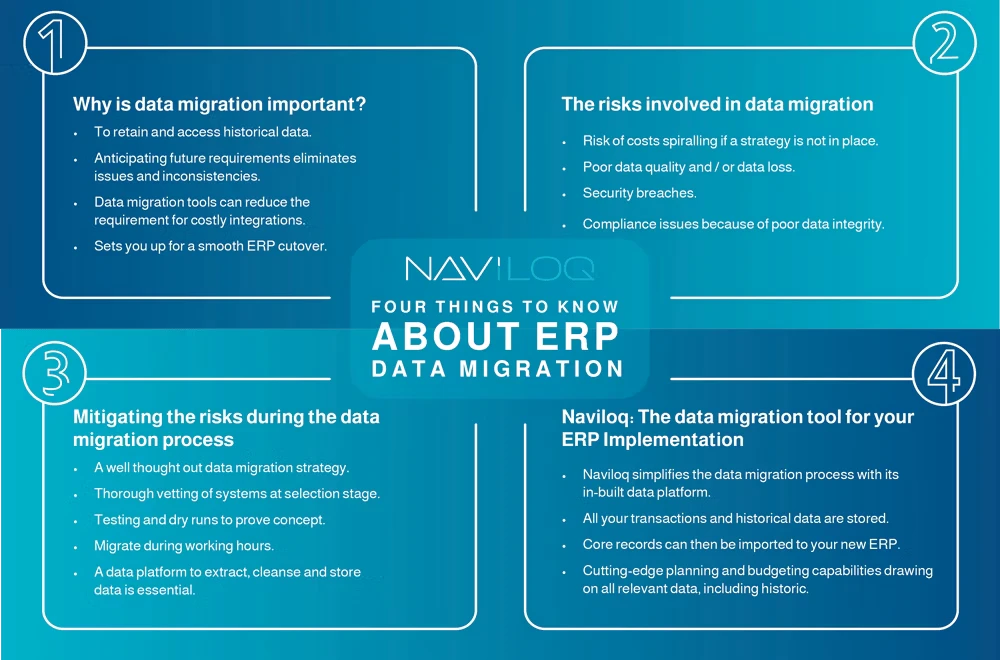
Other risks involved in data migration
Starting on time is a great beginning, but the risks don't end there. Keep in mind at least the following:
Cost of data migration: Additional costs due to multiple process phases: extracting, cleaning, restructuring and entering the data. This can add 10-15% to the overall costs of the new system.
Stakeholder adoption: Different business departments have different uses for the data in the historical system. Ensuring access and understanable format of the data is vital to adoption of the new ERP system.
Data loss: An efficient data migration process requires data that arrives from its original source in its totality. Follow best practices to keep all data intact.
Security Breaches: Secure your migration process to prevent data breaches and protect sensitive information.
Data compliance: Make sure historical data remains accessible to meet compliance requirements, either in the new ERP or a data warehouse.
Minimize the risks
Choose a tool with a built-in data warehouse or data platform
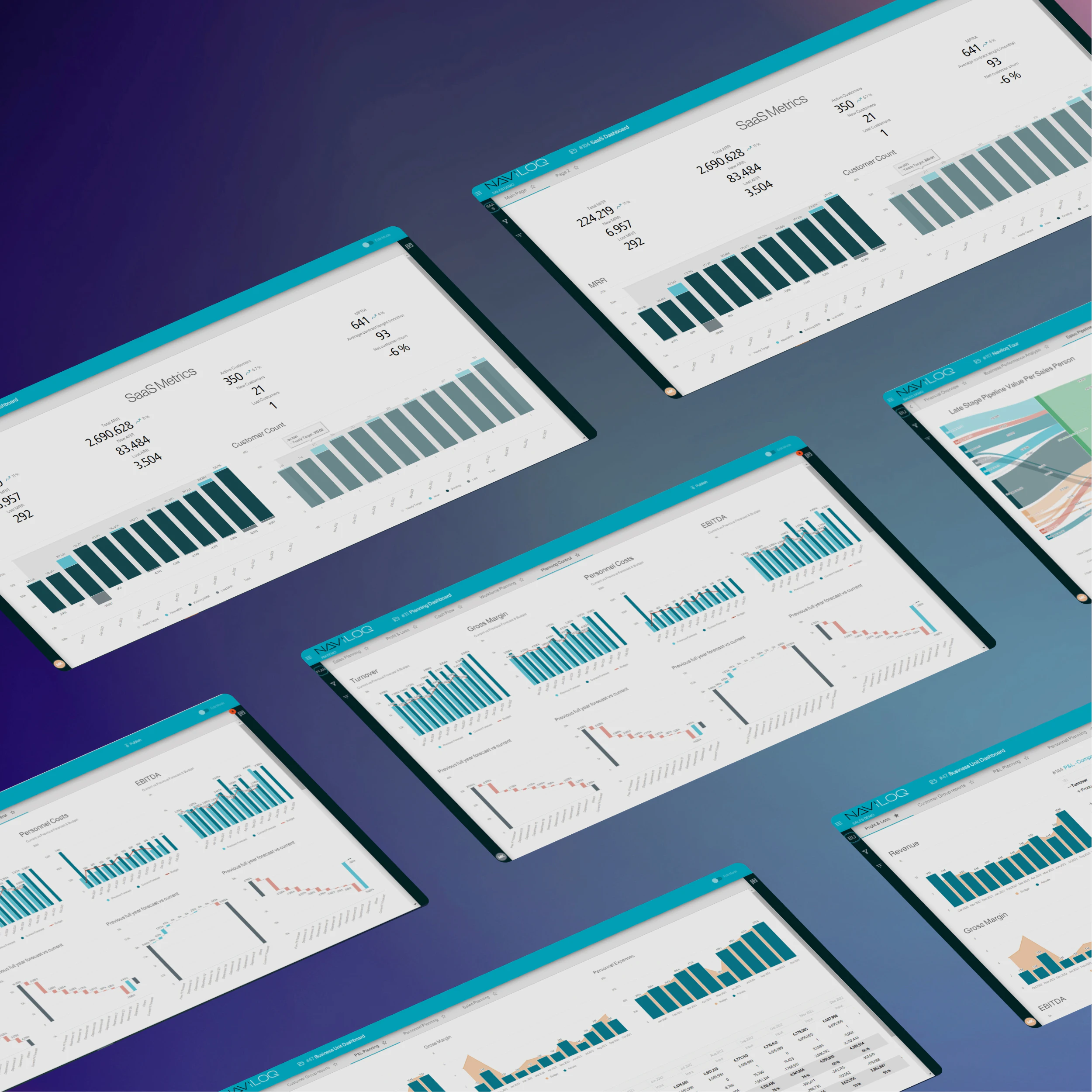
BI & Planning tool Naviloq not only handles data extraction, cleansing, and storage, but also provides powerful business intelligence and planning features. With a scalable data warehouse and advanced analytics, you can transform your data into practical insights, making the migration process smoother and adding long-term value to your business.
Excel is not the answer
I'm sorry Microsoft. I totally love Excel, but it has its limitations. Data migration is one of them. I have to admit, if I do a small migration job, and this is a one-off, I often find myself using Excel for the purpose. It has tools for transformation of data (formulas), and it does not require any fuzz in setting up a system or work environment to do the job. You just start Excel, and go ahead.
For larger migration jobs, using Excel as the only tool will most certainly make you fail. Mainly of two reasons. First, you can't replicate or redo the migration job. Well, technically you can if you are still able to find someone who knows Visual Basic, but in general I wouldn't go in that direction. Second, even if you use your finest formulas, it is manual labor and it takes awfully lot of time compared to a more automated solution.
But notice, the process of data migration has the three phases: Extract, Transform and Load. Excel is an excellent tool to do the extract job. To pull data out of your existing system and pass it through to the rest of the migration process. So, it has a place in migration, but you should not cover the full process with it.
Automate the process
I mentioned the phrases Extract, Transform and Load (ETL). This is crucial for successful data migration. Usually you need to do changes in the data during the migration process, often referred to as "data wash" — it goes beyond just cleaning bad data. It involves creating, deleting, reformatting, and changing data as needed. While there are specialized ETL tools for this, they can be expensive or complicated to set up. You can keep it simple and use Excel for extracting data and NetSuite for loading it into NetSuite (duh), but you still need to get your hands dirty on the transform part.
As mentioned, there are a lot of tools that can be used for the transformation processing. My personal favorite is the Microsoft SQL Server. To work with large amount of data is basically what a relational database is for, so it's an excellent tool for the purpose. And, the Express edition of SQL server is free to download (it can be deployed in Azure for free I think), the SQL Server management studio (SMSS) is also free to download, and even the training material for T-SQL is open for everyone, so the package is really a steal.
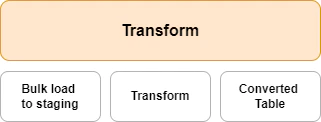
My preferred process is to pull out data from the existing system using Excel (mainly from a standard report or at least a report that can be re-run at any time), bulk load the excel file into SQL server, transform data using T-SQL in SQL server, pull out a UTF-8 CSV file, and upload it into NetSuite using the CSV Data Import Assistant. Again, this can be done in numerous ways. Another consultant may prefer other tools in the transformation phase, but you need to have tool that is fit for the purpose. Excel is unfortunately not.


Data migration is technical
If you think the last paragraph sounded a bit technical, that's probably because it is. You need a certain IT technical insight to do this right, but not a lot actually. If you have never created a SQL SELECT statement before, you may have a bit of learning to do, but if you are familiar with SQL, what you need to do is to dive a little deeper into SQL Data Manipulating Language statements, and maybe also some SQL Data Definition Language statements. In addition to that, you need to know how to create your statements as T-SQL stored procedures, so they can act more like a script. Then the job on the SQL server is to:
Bulk Load an Excel/CSV file to a pretty raw staging table
Run SQL DML/DDL statements as stored procedures on the data in the staging table
Place the result in a converted/transformed table, that has a reasonable fit against NetSuite datastructure
Pull out a perfect UTF-8 CSV file from the converted table

Collaborate with the implementation partner
In most ERP implementation projects, data migration is either stated as being "the customer's responsibility" or "done on a pure time and material basis", or a combination of those two. The simple reason for this is; you never know the state of the customer's existing data and therefore it is 100% impossible to estimate the work load. And also, the customer often wants to do this job by themselves since the customer knows their data the best, and this is an area where they could save money from adding their own efforts. And I totally agree upon that.
Nevertheless, it is impossible to do the ERP data migration successfully without a certain amount of collaboration with the ERP implementation partner. NetSuite has an excellent tool to upload CSV files, and it's really a tool - not only a file upload interface.

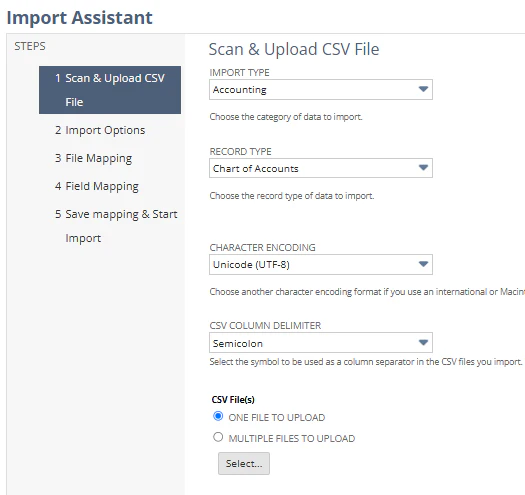
The collaboration agreed is often that; we give you the file upload templates you need, we give you basic training in using the CSV Import assistant tool, then you do the upload yourself. It works to a certain extent, but this is far from enough. I mentioned that the customer knows their data best, but they may not know the representation of the data, and most certainly it is the implementation partner that knows NetSuite the best.
I'll give a short and maybe oversimplified example. Once I was migrating general ledger data from one system to another. In the old system, the fields Date and Posting Date was used to represent the date the post was created and the date it was posted in the ledger. In the new system, there was Created Date and Date, where Date represented the date it was posted to the ledger. If the Date field on the old system side was mapped against the Date field on the new system side, it would have created a waste amount of discrepancies in general ledger. The name, format and content of the fields seems to be logically identical. But the two Date fields represented two different things. What to learn from this example is that it is not enough to know the data itself, you also need to know the representation of the data and what it means.


Because of the representation of the data, it's important that the vendor and the customer collaborates in the area of the red eclipse above. The vendor should have some opinions of the content of your converted table, and they should have some opinion on how you map this in the CSV Import Assistant.
Apart from this, the customer can practically do the rest of the migration by themselves, use the right process, use the right tools, collaborate on the right subjects together with your ERP implementation partner, and you will both be confident on the ERP data migration.

Data migration tool
Naviloq: The data migration tool for your ERP implementation
Instead of relying on Excel only, it's suggested to have a proper tool for the data migration process. Naviloq is an all-in-one business intelligence tool created by Staria’s experts, who have decades of experience on ERP deployment and business intelligence.
Naviloq transfers data seamlessly from old source systems and supports an efficient data migration for your ERP project. It simplifies the data migration process by storing all your transactions and historical data in its built-in data warehouse. Meaning your data migration process will include two steps:
Step One: Import core records such as customers, suppliers, inventory and service items into your new ERP system, ensuring you can analyze historical headline data.
Step Two: Then create transactions in your new ERP to point to the transactional and historical data, such as product, range or transaction date etc., that's housed in Naviloq’s data warehouse.
After data migration process, you can utilize Naviloq’s BI & Planning capabilities to carry out in-depth analysis of your data to meaningfully plan for the future.
Streamline your ERP data migration with NaviloqCheck out more in-depth content on ERP implementations and data migration:
Guide: The Complete Guide to ERP Implementation
Webinar: BI & Planning for NetSuite: Unlock the full power of NetSuite data

Kåre Kaasamoen
NetSuite Solution Architect
Staria